
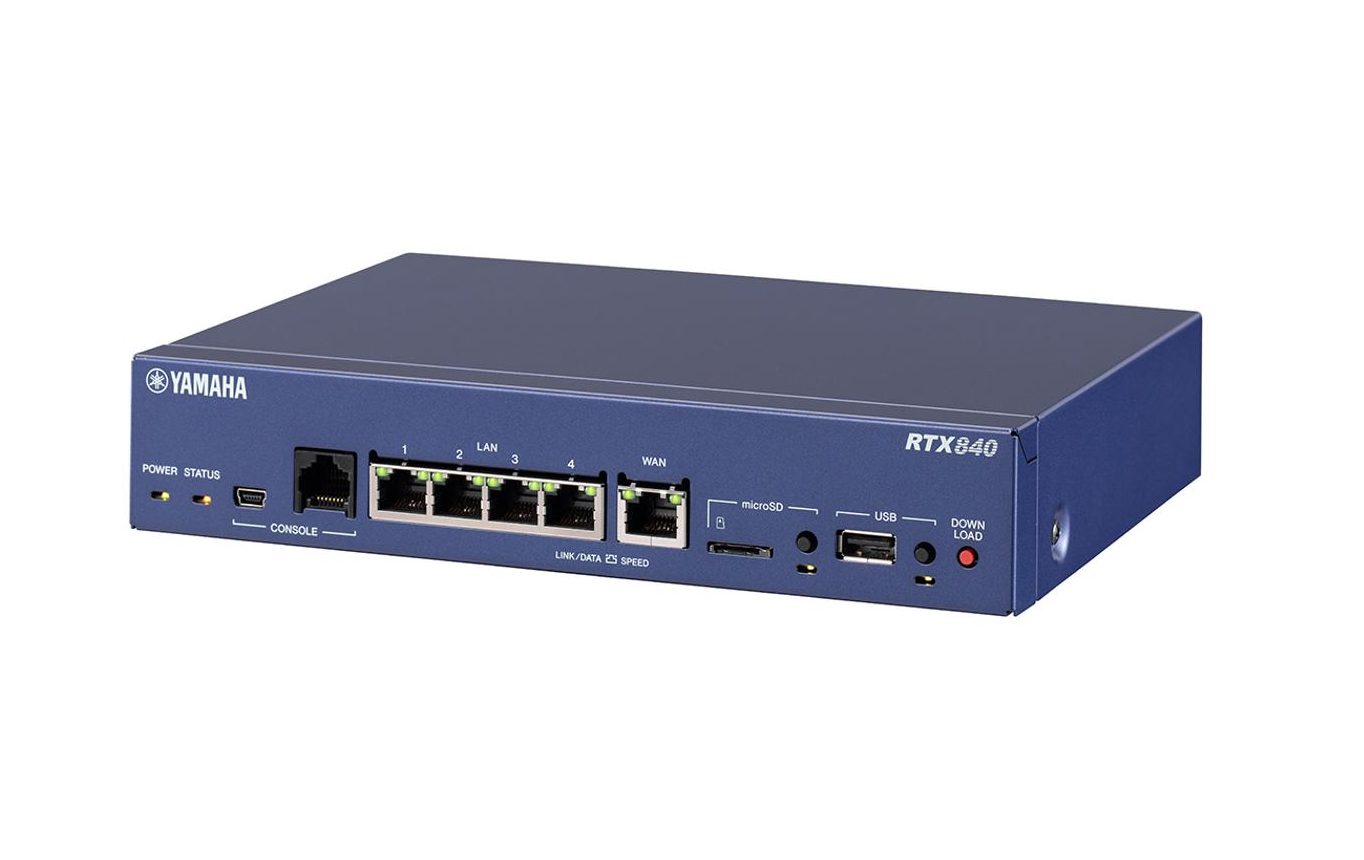
RTX840
Gigabit Router Delivering Optimized Networking for the Growing Adoption of Cloud Services
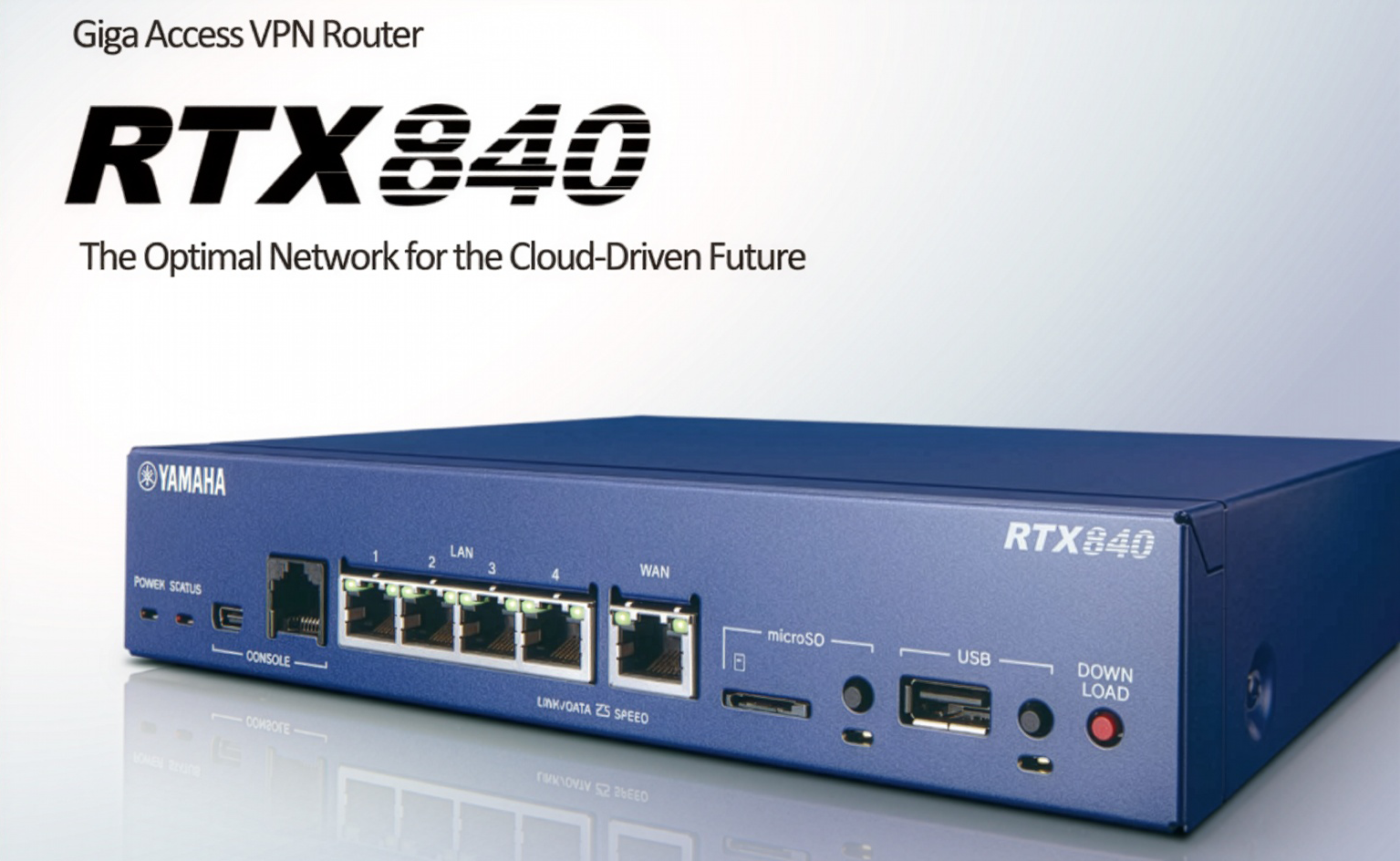
Delivering the Ideal Network for the expanding use of cloud Services
Gigabit Access VPN Router Designed for Small-Scale Locations
- Boosted performance : Seamless access to cloud services
- Simple, secure local breakout for major cloud platforms
- JC-STAR Level 1 certified for trusted security compliance
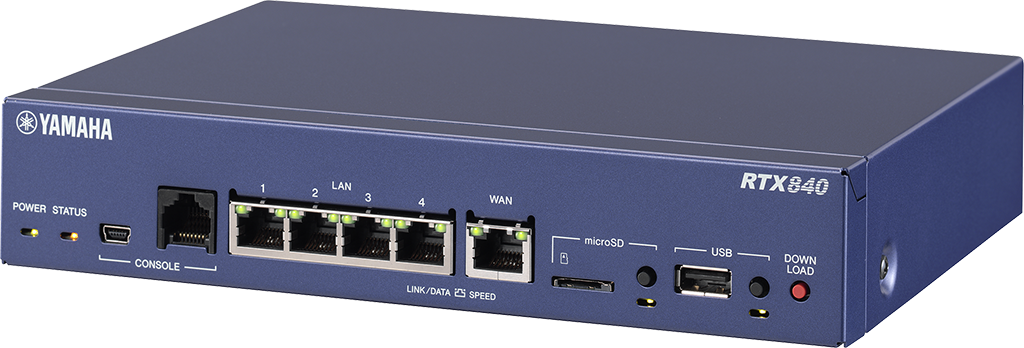
Boosted performmance : Seamless access to cloud services
Despite its compact half-rack form factor, the RTX840 supports up to 150,000 NAT and dynamic filter sessions, delivering significantly enhanced TCP connection processing performance.
This ensures a stable and reliable network environment even when session demand temporarily spikes—such as during heavy access to cloud services in schools, offices, or other high-traffic environments.
- Throughput : Max 2.0Gbps
- IPsec Throughput : Max 1.0Gbps
- NAT Sessions : Up to 150,000
- VPN Concurrent Sessions : Up to 20 sessions
Boosted performmance : Seamless access to cloud services
Avoid Bandwidth Congestion at the Central Router
As the use of cloud services continues to grow, traffic routed from branch offices through the central network is increasing, raising the risk of bandwidth bottlenecks and service disruptions.
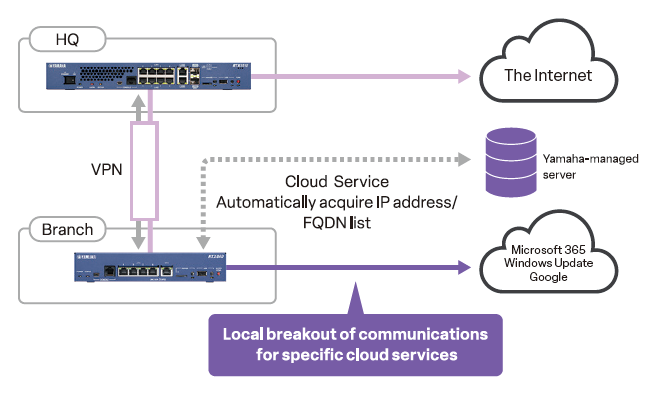
To address this, demand is rapidly rising for local breakout—a method that allows branch routers to connect directly to the internet without passing through the central router.
The RTX840 natively supports local breakout through destination lists defined by IP addresses or FQDNs, helping reduce the load on central routers and optimize overall network performance.
Avoid Bandwidth Congestion at the Central Router
The latest destination lists used by major cloud services—such as Microsoft 365, Google services, and Windows Update—are automatically delivered from Yamaha-managed servers at no additional cost.
This enables continuous updates without requiring any changes to the initial configuration, ensuring that your local breakout rules remain accurate and up to date.
Users can also define and automatically manage their own custom service destinations.
This feature significantly reduces operational workload while maintaining a stable and efficient branch network environment.
Avoid Bandwidth Congestion at the Central Router
The latest destination lists used by major cloud services—such as Microsoft 365, Google services, and Windows Update—are automatically delivered from Yamaha-managed servers at no additional cost.
This enables continuous updates without requiring any changes to the initial configuration, ensuring that your local breakout rules remain accurate and up to date.
Users can also define and automatically manage their own custom service destinations.
This feature significantly reduces operational workload while maintaining a stable and efficient branch network environment.
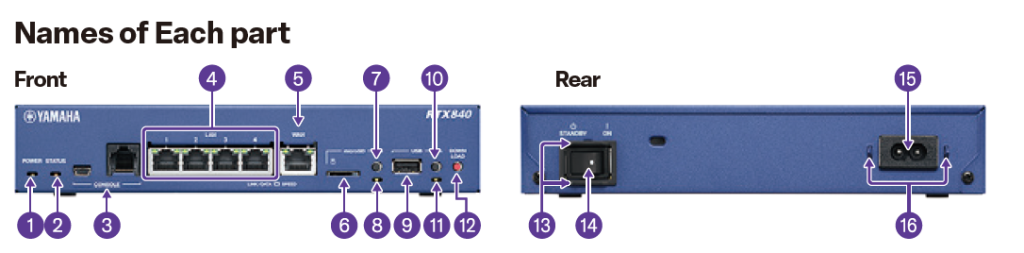

| Interface | LAN Ports | LAN: 4 ports WAN: 1 port All ports support 10BASE-T / 100BASE-TX / 1000BASE-T and automatically detect straight or crossover cables. LAN ports function as a 4-port Layer 2 switch. |
|---|---|---|
| microSD Slot | 1 slot (SDHC compatible) | |
| USB port | 1 port: USB 2.0 Type-A (Power supply current: up to 500 mA, supports USB memory and USB data communication devices) (※2) | |
| Console port (for configuration) | 2 ports: RJ-45, USB Mini-B (5-pin), 9,600 / 19,200 / 38,400 / 57,600 / 115,200 bit/s (※3) | |
| Memory | Flash ROM | B64MB (Firmware: 1 pairs, Config: 5 pairs / History function) |
| RAM | 1GB | |
| Performance | Built-in L2 switch function | Port isolation, LAN segmentation (port-based VLAN), port mirroring |
| Functions for closed network services | Tags: VLAN, IPv6 Multicast (MLDv1, MLDv2, MLD Proxy) | |
| Tag VLAN (IEEE 802.1Q) | 32ID per LAN | |
| Number of PPPoE sessions | 5 | |
| Supported Lines and Service Networks (*1) | FTTH (OPTICAL FIBER), ADSL, CATV, ATM LINE, IP-VPN NETWORK, WIDE-AREA ETHERNET NETWORK | |
| IPv4 connection format | Native, Tunnel, DHCP, PPPoE | |
| IPv6 connection format | Native, Tunnel, RA Proxy, DHCPv6-PD, PPPoE, IPoE | |
| Routing | Routed Protocols | IPv4, IPv6 |
| IPv4 Routing Protocols | RIP, RIP2, OSPF, BGP4 (EBGP, IBGP) | |
| IPv6 Routing Protocols | RIPng, OSPFv3 | |
| Number of route entries | 10,000 (*4) | |
| OSPF Neighbor Count | 30 (*4) | |
| Number of OSPF routes | Total when connected to 10 neighbors or less: 10,000, Total when connected to 30 neighbors: 8,000 | |
| BGP4 Peer Count | 32 | |
| Number of BGP4 routes | 10,000 (*4) | |
| Data Compression | CCP (Stac LZS), VJC | |
| Throughput | Throughput | Max 2.0 Gbit/s (*5) |
| IPsec Throughput | Max 1.0 Gbit/s (*6) | |
| VPN Locations | Sum | 20 (*7) |
| IPsec | 20 | |
| L2TP/IPsec | 20 | |
| L2TPv3 | 1 | |
| PPTP | 4 | |
| Multipoint Tunnel | 20 | |
| VPN function | IPsec (VPN function: NAT traversal, XAUTH) + AES128/256, 3DES, DES (hardware encryption) + IKEv1 / IKEv2, IKEv2 / IPsec remote access (PSK), PPTP + RC4 encryption, L2TP/IPsec, L2TPv3, L2TPv3/IPsec, IPIP tunnel, Multipoint tunnel (server/client), IPsec route auto-add function | |
| NAT | Address Translation Function | NAT, IP Masquerading, Static NAT, Static IP Masquerading, DMZ Host Function, PPTP Passthrough, IPsec Passthrough, FTP Support, Traceroute Support, Ping Support, Port Saving IP Masquerading, Hairpin NAT |
| Number of NAT Sessions | 150,000 | |
| QoS | QoS function (control method) | Priority control, Bandwidth control (Dynamic Traffic Control), Dynamic Class Control, Tunnel QoS |
| QoS function (classification method) | IP address, protocol, port number, ToS field | |
| QoS function (linkage with network-side QoS function) | Diffserv, Coloring (ToS), ToS → CoS conversion | |
| Security | Authentication function | RADIUS, PAP/CHAP, MS-CHAP/MS-CHAPv2 |
| Security Features | URL filter, DHCP terminal authentication, MAC address filter | |
| Firewall (static filtering) | IP Address, Port, Protocol, FQDN, Source/Destination filtering | |
| Firewall (dynamic filtering) | TCP, UDP, FTP, DNS, WWW, SMTP, POP3, TELNET | |
| Number of Dynamic Filter Sessions | 150,000 | |
| Firewall IDS | Unauthorized access detection and email notification | |
| Backup | Backup function | VRRP, Floating Static, Network Path Backup |
| IP keepalive ground count | 100 | |
| Management/Settings | Statistical management functions | Dashboard, interface statistics, VPN status, SYSLOG |
| LAN management | L2MS Manager, VLAN Batch Configuration, LAN Map | |
| SNMP | SNMP (v1, v2c, v3) | |
| Logging Capabilities | SYSLOG, microSD logging, USB logging | |
| Log Storage Capacity | Up to 10,000 rows | |
| Means of setting | Console, TELNET, SSH, Web GUI | |
| Recommended browsers | Edge, Chrome, Firefox, Safari | |
| Other features | DHCP Server/Client, DNS Server, NTP Client, Wake on LAN | |
| Extensions | Lua Scripts | |
| Hardware | Status indicator | Front LEDs: POWER, ALARM, STATUS, LAN, WAN, microSD, USB |
| Operating environment conditions | Ambient temperature 0 to 50°C, humidity 15 to 80% | |
| Power | AC100~240V, Built-in power supply | |
| Maximum consumption power | 12W | |
| Energy-saving features | Energy Efficient Ethernet (EEE) | |
| Case | Metal housing | |
| Certification | VCCI Class A, RoHS | |
| External dimensions | 220 × 43.5 × 160 mm | |
| Weight | 1.1kg | |
| Default IP address | 192.168.100.1 | |
(*1)To connect to lines such as ADSL, CATV, or FTTH (fiber optic), a separate ADSL modem, cable modem, or media converter may be required. In addition, some internet service providers may not allow simultaneous use by multiple computers,so please check with your service provider. (*2)Operation of all USB memory devices is not guaranteed. USB hubs cannot be used. The list of USB data communication devices confirmed to work is available on the technical information website. (*3)Please use a commercially available USB Mini-B cable. (*4)The values indicated are the maximum values confirmed by Yamaha through testing. (*5)Throughput values are measured based on RFC2544 (without NAT, without filters,with multiple bidirectional flows processed by multi-core).(*6)The values when using AES+SHA1 are measured with multiple bidirectional flows processed by multi-core. (*7)The total upper limit applies when multiple types of VPNs are used simultaneously.(*8)Only remote access connections from Android, iOS, and iPadOS are supported.
(*9)This product uses “RC4.” RC4 is a registered trademark of RSA Security LLC in the United States and other countries.(*10)For PPTP clients, multiple sessions are supported. The PPTP server supports only one session.(*11)Applicable number of destinations when using the IP keepalive function for monitoring only, without combining VPN or network backup functions.(*12)L2MS (Layer 2 Management Service) is a function that manages Yamaha network devices at Layer 2 level. Compatible L2MS agent models are listed on the Technical Information (RTpro) website.(*13) It is recommended to use the latest version of your browser. The latest information about supported web browsers is available on the Technical Information (RTpro) website.(*14) In Internet environments using private IP addresses such as “10.x.x.x,” “172.16.x.x–172.31.x.x,” or “192.168.x.x” (e.g., CATV), the NetVolante DNS service cannot be used.